Buying guide
Buy IPTV box or use what you have? What a box adds, and what it never will
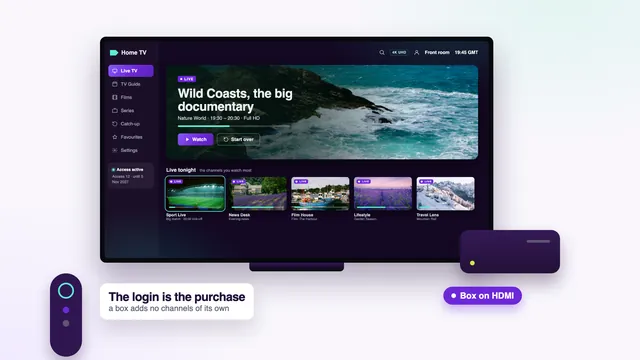
Before you buy IPTV box hardware, settle one point: a box plays channels, it does not supply them. What you watch comes from a login with an end date, and that login works the same on a smart TV app, a Fire TV stick, a phone or a box. This guide helps you decide whether a box is worth the money for your screen, which kind to pick if it is, the specs that matter, and why listings that bundle « channels » with a box deserve a careful look.
What a box does, and what you are really paying for
An « IPTV box » listed online is usually an Android box: a small computer with an HDMI output, a remote and an app store. It decodes the stream, draws the menus and sends the picture to the TV. It does not hold channels, and it never did.
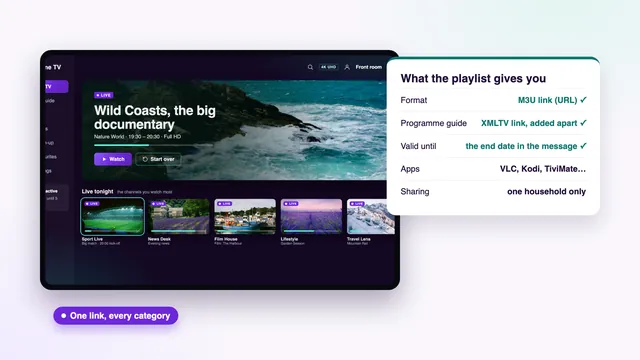
The channels, the films and the guide come with the login: the Xtream details (server URL, your username, your password), an M3U link and a guide link, sent in one message after payment, with the end date written in it. The login is what you pay us for, and it works the same in a TV app, on a Fire TV stick, on a phone or on a box.
So a box bought with a « channel package » inside is, underneath, two purchases: some hardware and somebody else’s login. The hardware may be fine. The login has terms, an end date and a support contact, and the listing rarely tells you any of them.
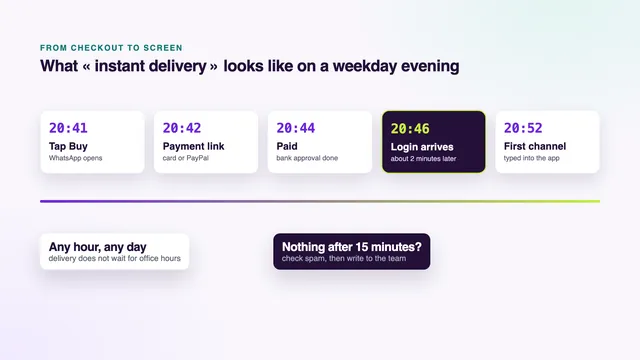
For the order itself, from the payment link to the message, the home page sets out how to buy IPTV without buying hardware, and the how to buy IPTV page follows the steps through to the first channel.
What your TV, stick or phone already does
Before spending anything on hardware, list the screens in your home and what each can already run. In most homes at least one of them needs nothing extra.
| Screen you own | Plays the login without a box? | What to check |
|---|---|---|
| Samsung or LG smart TV | Usually, with Smart IPTV, IBO Player or, on some models, Smarters Pro | The player in the TV’s store; the model year |
| Google TV or Android TV set | Yes, with players from Google Play | Google Play opens; recent system updates |
| Fire TV Stick or Fire TV Cube | Yes, with the player installed through Downloader | The model does not run Vega OS |
| Phone or tablet | Yes, from the App Store or Google Play | A screen size you are happy to watch on |
| Laptop or desktop computer | Yes: VLC (free) opens the M3U link | Nothing beyond the player |
| TV with no apps, monitor or projector | No | A spare HDMI input, so that a stick or box can be added |
For the detail on each, the Smart TV buying guide goes through Tizen, webOS and Google TV sets in turn, and the one on buying IPTV for a Firestick covers the models, the storage and the player install.
When a box is worth buying
There are honest reasons to buy IPTV box hardware, and they all come down to a screen that cannot run a decent player on its own.
- The TV has no app store, or nothing in its store can open an Xtream login or a playlist.
- The set is old, no longer updated, and its menus take seconds to respond.
- You watch on a monitor or a projector that has HDMI inputs and nothing else.
- The TV’s own Wi-Fi is weak, it has no Ethernet socket, and a box with one can sit where a cable reaches.
- You want the same player, menus and remote on every TV in the house.
In each of those cases, the cheapest device that meets the specs further down is enough. Paying more buys a quicker interface and more storage. It does not buy more channels, a sharper source or a steadier stream, because those depend on the login, the source and your broadband.
Certified Android TV and Google TV boxes, and the rest
Boxes carrying Android TV or Google TV certification get Google Play and security updates. Uncertified boxes often run an old version of Android with no updates at all, a phone-style home screen and either a store of their own or none.
Telling them apart takes a minute. A certified box names Android TV or Google TV in the listing and on the packaging, opens on a TV-style home screen and has Google Play among its apps. A listing that only quotes a bare Android version number, with no mention of Android TV or Google TV, is usually an uncertified box.
Updates matter because a box stays plugged into your home network for years, next to phones, laptops and anything else that connects to the router. A device that stopped receiving fixes long ago is a weak point in that network, however well it plays a film.
Amazon’s Fire TV devices sit in a category of their own. They run Amazon’s system with the Amazon Appstore rather than Google Play, receive updates from Amazon, and the Fire TV Cube is the nearest thing to a box in that range.
The specs worth paying for
Listings bury the useful figures under marketing. These are the ones to find before you add a box to your basket anywhere.
| Spec | Why it matters | What to look for in the listing |
|---|---|---|
| 4K output at 60 Hz | 4K titles at full resolution and smooth 50 fps sport on a 4K TV | « 4K 60 Hz » or « 2160p60 », on HDMI 2.0 or newer |
| HEVC (H.265) hardware decoding | Most 4K streams use it; decoding in software stutters | « H.265 » or « HEVC » among the video formats |
| 2 GB of RAM or more | Long channel lists and the seven-day guide stay quick | The memory figure, not the storage figure |
| Ethernet port | The steadiest link to the router, at any hour | A network socket on the back; 100 Mb/s covers one 4K stream |
| 5 GHz Wi-Fi | Where a cable cannot reach the TV | « Dual-band » or « 5 GHz » in the network specs |
| Android TV or Google TV certification | Google Play and security updates | The certified name, not just « Android » and a number |
What is not worth paying extra for: an « 8K » label on a box headed for a 4K TV, a headline count of channels, a remote covered in shortcut buttons for apps you will never use, or the word « lifetime » anywhere near the price.
HDR follows the same rule as on any device: you see HDR or Dolby Atmos only if the stream carries it and the box, the player and the TV can each handle it. A box cannot add a format the TV lacks.
Buy IPTV box bundles with « channels included »: why to be careful
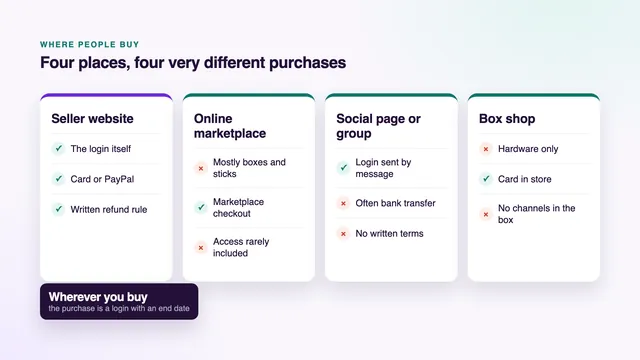
On online marketplaces and auction sites, a large share of the listings that turn up when people search to buy IPTV box hardware bundle the device with « thousands of channels » or « no monthly fees ». The box is real. The access inside it is the part to question.
- No end date in writing. The channels run on a login someone else bought. When it stops, the listing may be gone, and the box goes back to being a box.
- Apps loaded before shipping. Software installed outside any store, by someone you cannot identify, can carry malware onto your home network.
- Returns that cover the hardware only. Check whether the return terms mention the access at all. Often they describe the device and nothing else.
- « Lifetime » promises. Offers with no end date and no written guarantee exist; nobody can tell you how long they last, including the seller.
- Old, uncertified Android. Bundled boxes are often the cheapest hardware with no updates, chosen because the channel promise does the selling.
The places that sell IPTV, from seller websites to marketplaces, are compared in the guide on where to buy IPTV, and the checks to make on any seller before paying are listed in buying IPTV online safely. Do not buy IPTV box deals on the strength of a channel count; buy the hardware for its specs and the access for its terms.
Fire TV devices: a box in all but name
If you decide you need hardware, Amazon’s Fire TV range covers most of what a separate box would do. The Fire TV Stick 4K, the 4K Max and the Fire TV Cube play 4K with HDR where the source has it, and the Cube suits the main TV. The older Lite and basic sticks top out at Full HD, which is plenty for a smaller second set.
The player most people use with the login goes on through Downloader, a free app by AFTVnews, after you allow it under Settings › My Fire TV › Developer options; the download link comes with your login. One caution before ordering: certain newer Amazon sticks use Vega OS, and that system only accepts Appstore apps. Read the operating system on the product page, or ask the team before you pay.
Box, stick or TV app: choosing the plan
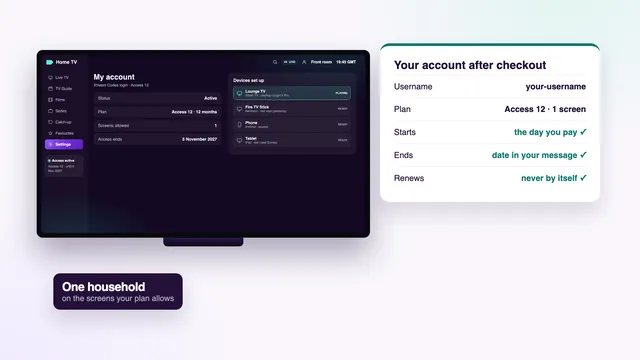
The plan does not change with the device. A box counts as one screen, exactly like a TV app or a stick, and the catalogue is the same in every plan: more than 40,000 live channels, a library of 120,000 films and series, and identical picture quality.
- Access 12, £49 for 12 months: one screen, which comes to £4.08 monthly and 13p daily. The plan we suggest for most homes.
- Access 3, £29 for 3 months: one screen, a short first order while you settle which device stays.
- Access 12 Duo, £79 for 12 months: two screens at the same time, such as a box in the lounge and a TV app upstairs.
- Access 24, £89 for 24 months: one screen at the lowest monthly cost, £3.71.
The charge is taken once, by debit or credit card or PayPal, in pounds, and it never repeats on its own. If the login fails to arrive, or no screen gives a picture even after the team has helped, the money comes back within 7 days of payment. Compare the four in the plan cards, or read the IPTV packages page for the full contents of each. What the login holds once you have paid is set out in the guide to buying an IPTV account.
Not sure your screen needs a box at all? Send the TV model, or the box you are eyeing, through the contact page before you buy IPTV box hardware or a plan. Replies come 24/7, in English, usually with a plain yes or no about the screen you already own.
Frequently asked questions
Do I need to buy an IPTV box to watch?
No. The access is the login, and it plays in a player app on a smart TV, a Fire TV stick, a phone or a computer. A box is only needed when the screen you own cannot run a suitable player.
Is a box with channels already loaded a good deal?
Rarely. The channels inside run on a login someone else bought, usually with no end date in writing and nobody to contact when it stops. Buy the hardware for its specs and the access separately, with written terms.
Which is better, a box or a Fire TV stick?
For most TVs, a Fire TV 4K stick, standard or Max, does the job of a box at a lower price, at the time of writing. A box with an Ethernet port, or a Fire TV Cube, suits a main TV where a cable can reach and you want the steadiest link.
How much RAM should a box have?
At least 2 GB, so that long channel lists and the guide stay responsive. Check that the figure is memory and not storage, as listings often mix the two.
Can I use the login on a box I already own?
Yes, provided it can run one of the usual players: IPTV Smarters Pro, TiviMate, VLC, or Kodi plus its PVR IPTV Simple Client add-on. If it came with apps loaded by the seller, reset it first and install the player from its store.
Does a more expensive box give a better picture?
Only up to a point. Once a box outputs 4K at 60 Hz and decodes HEVC in hardware, the picture depends on the source, your broadband and the TV, not on the price of the box.