Buying guide
Buy IPTV online: ten checks before you pay any seller
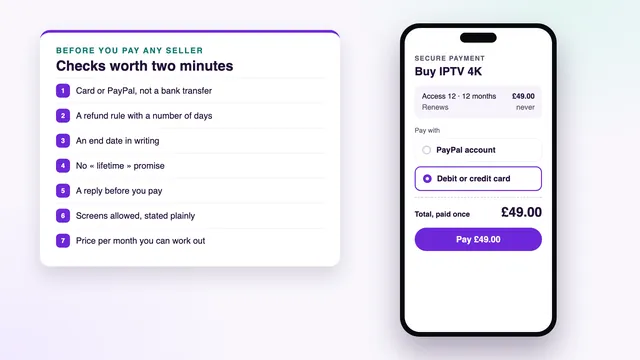
To buy IPTV online without regret, run through ten checks before any money leaves your account. None takes long: most are a line on the seller’s pages, the rest a single question by message. Below are the ten, what a good answer looks like for each, what to keep once you have paid and what to do if the order goes wrong.
Buy IPTV online: the ten checks at a glance
Most orders that go badly online can be traced to a check skipped before paying: a transfer that cannot be recalled, a « lifetime » plan with no date, a seller who never answers. The table lists the ten in the order worth making them, where to look for each, and what should make you stop.
| # | Check | Where to look | Stop if |
|---|---|---|---|
| 1 | A payment method with recourse | The payment step, or the reply to your order | Only bank transfer, gift-card codes or crypto are offered |
| 2 | A refund rule that states its days | A refund page linked from the footer | The rule has no number of days, or says « no refunds » |
| 3 | An end date in writing | The plan description and the order message | Nobody will say when the access stops |
| 4 | No « lifetime » plan | The names of the plans | A plan claims to last for ever |
| 5 | A reply before paying | One question by chat or email | Nobody answers until money has been sent |
| 6 | The screens allowed | The plan description | The number of screens playing at once is missing |
| 7 | Clear prices per month | The price list | Totals are hidden, or far below the usual range |
| 8 | The devices supported | The setup or device pages | The seller cannot name a player app for your TV |
| 9 | What the order message contains | The buying steps, or a question | You cannot find out what you will receive |
| 10 | Where help comes from, and when | The contact page | No channel, no language and no hours are given |
If two or more of the « stop » cases apply, look elsewhere. One on its own may only mean a site that is badly written: ask about it, and judge the reply.
Checks 1 to 3: how you pay, the refund rule and the end date
1. A payment method that can be reversed
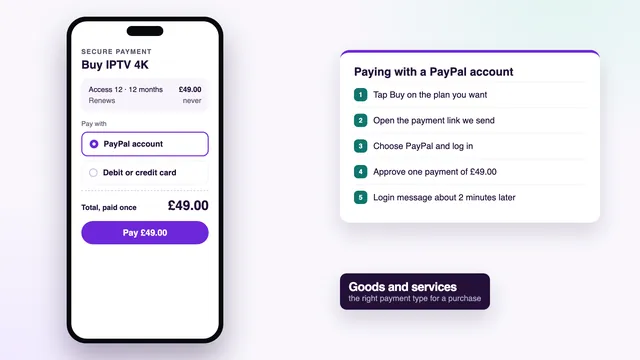
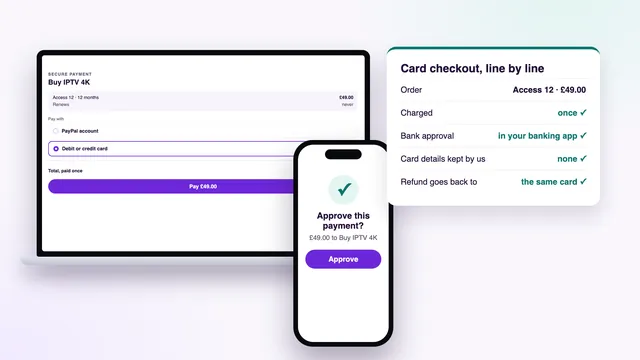
Pay with a debit or credit card, or with PayPal sent as a purchase. If a paid service is never provided, your card issuer can try to reverse a card payment through a chargeback, within a time limit each bank sets for itself, often around 120 days. PayPal runs its own process for purchases; read its current terms rather than relying on a seller’s summary of them.
A bank transfer, gift-card codes and crypto give you nothing comparable. Once they leave, they are close to impossible to get back, which is exactly why some sellers prefer them. A request to send PayPal money as a payment between people who know each other is a request for a type of payment never meant for buying.
Section 75 of the Consumer Credit Act often comes up here, but it covers only credit-card purchases of more than £100 and up to £30,000. Most IPTV plans cost less than that, ours included, so chargeback is the route to know about. Each payment method has its own guide: paying for IPTV by debit or credit card and paying for IPTV through PayPal.
2. A refund rule that gives a number of days
A usable refund rule fits in a few lines and contains a number: so many days from payment. It also says when it applies, such as a login that never arrives, and when it does not, such as a change of mind. Wording like « satisfaction guaranteed » with no days attached gives you nothing to quote later.
Ours runs for 7 days from payment and pays back in full when no login reaches you, or when every screen stays blank after the team has helped; the money returns to the card or PayPal account you paid with. The detail is on the refund policy page.
3. An end date in writing
Every plan should state a length in months and, once paid for, a date on which it stops. Look for both in the plan description, then make sure the order message repeats the date. With it in writing you know what you paid for and when to decide about buying again; without it, the seller decides when your access ends.
Check what happens on that day too. With Buy IPTV 4K, access simply stops: no card is stored and nothing is taken again. Buying later is a fresh order, with a new login typed into the same apps.
Checks 4 to 6: « lifetime », a reply first and the screens
4. No « lifetime » plan
A « lifetime » plan comes with neither an end date nor a guarantee on paper, which raises the obvious question: whose lifetime? Servers cost money every month, so one payment for ever is a promise nobody can show you on paper. When that access stops, there is no date to point to and no rule to quote.
If a long run is what you want, pick a long plan with a date on it. Access 24 lasts 24 months for £89, or £3.71 a month, and its end date is printed in the message.
5. A reply to a question before you pay
Send one plain question before paying and see what comes back. Choose something you can verify: which player suits your TV, how many screens a plan covers, what name will appear on your card statement. A clear reply in reasonable time tells you a team exists; silence until the money arrives suggests it may not.
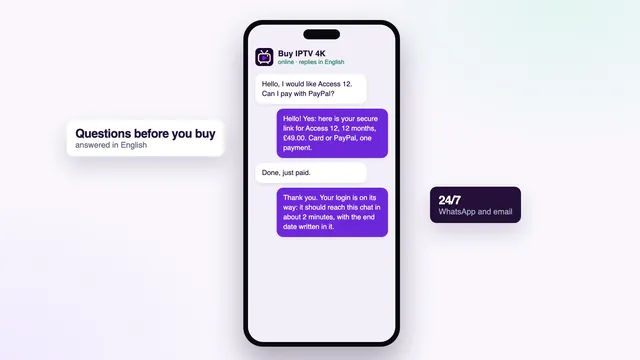
Questions before a sale are welcome here, 24/7, in English, whether by WhatsApp or email. You can write to the team before choosing a plan with any of the questions on this page.
6. The screens allowed
A plan allows a number of screens playing at the same moment. That figure belongs next to the price, not in a surprise on the first evening when a second TV goes blank. A screen means a picture playing: the login can be saved in several devices around the home, provided no more than the allowed number play together.
Access 3, Access 12 and Access 24 allow one screen at a time; Access 12 Duo lets two screens play at the same time over 12 months, at £79. Each login belongs to one household; if it travels beyond the home or ends up published online, it can be suspended.
Checks 7 and 8: the price per month and the devices
7. Clear prices per month
Divide each total by its number of months. That turns three unlike offers into one figure you can compare, and it shows whether a long plan is good value or merely big. Make sure the price is one total in pounds, paid once, with no setup fee appearing at the payment step.
At the time of writing, a year for one screen was priced at roughly £39.99 to £65 (seen on offers online), most often near £55, and a single month from £6.99 to £22; prices vary by seller. A figure far below that is not a bargain to grab but a question to ask.
| Plan | Total, paid once | Per month | Runs for | Pictures playing together |
|---|---|---|---|---|
| Access 3 | £29 | £9.67 | 3 months | 1 |
| Access 12 | £49 | £4.08 | 12 months | 1 |
| Access 12 Duo | £79 | £6.58 | 12 months | 2 |
| Access 24 | £89 | £3.71 | 24 months | 1 |
8. The devices supported
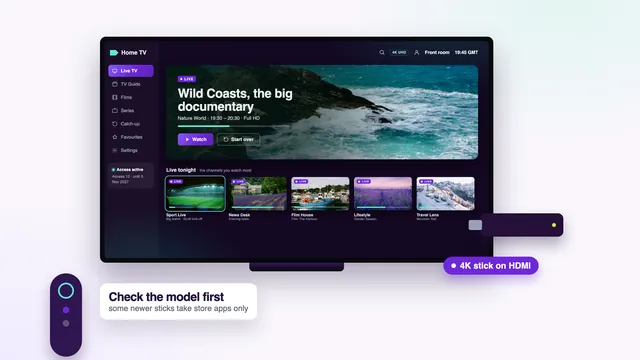
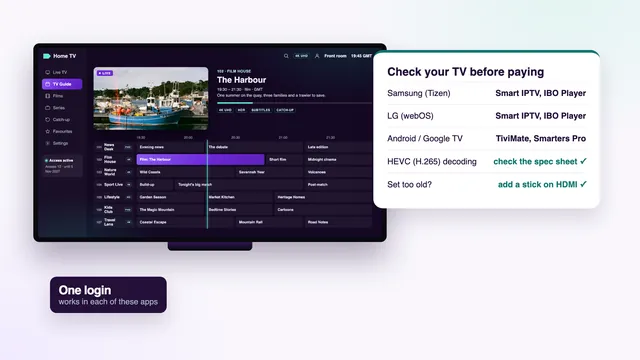
A login works in any compatible player app, so the real question is whether your TV, stick or phone runs one. Ask the seller which app they suggest for your device, and confirm that it is in that device’s own app store. A seller unable to name a single player for a common TV probably does not set many up.
Our login opens in TiviMate, IPTV Smarters Pro, VLC, Kodi, IBO Player, XP IPTV, Smart IPTV and other compatible players; we sell no app, box or stick. For the device side, see what to check on a Fire TV stick and which apps Samsung, LG and Google TV sets run.
Checks 9 and 10: the order message and the help behind it
9. What the order message will contain
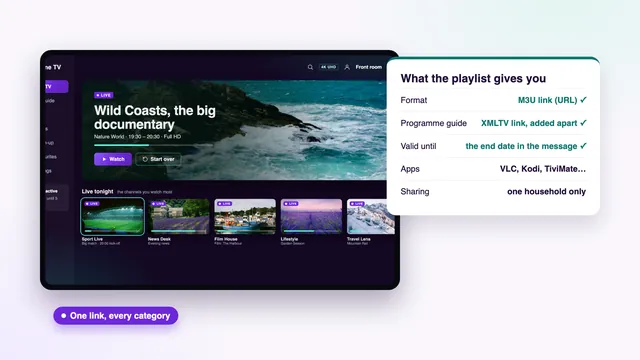
Find out before paying exactly what you will receive. A complete message gives a username, password and server URL (the « Xtream Codes » login), an M3U playlist link, a programme-guide link in XMLTV format and the end date. If a seller will only say « you get access », ask for the list.
Ours carries all six and arrives by WhatsApp or email about 2 minutes after the payment is confirmed, at any hour. What happens in those minutes, and what to do if the message is late, is in the instant delivery guide; the M3U link has a playlist guide of its own.
10. Where help comes from, and when
Help needs three things stated plainly: a channel such as chat or email, a language and the hours someone answers. Setting up the first player is when most questions come up, often in the evening, so a team that only answers on weekday office hours can leave you stuck for a whole weekend.
Help comes by WhatsApp or email, 24/7, in English, and covers setting up each screen: the team can talk you through typing the details into the player.
What to keep after paying
Paying does not end the checks. Keep these together until the end date has passed, and longer if your bank’s window for disputes runs beyond it.
| Keep | Where it comes from | Why it matters |
|---|---|---|
| The receipt or payment confirmation | The payment company’s email, or your PayPal activity | Shows the amount, the date and who was paid |
| The order message | WhatsApp or email from the seller | Holds the login and the end date you were promised |
| The payment record | Your bank or card statement, or PayPal history | Backs up the receipt if you ever dispute the payment |
| A copy of the seller’s pages | A screenshot of the plan and refund pages on the day you paid | Shows the terms as they stood if the site changes later |
Forward the order message to your own email as well, so it survives a lost or replaced phone. Note the name on your statement too: the payment company sets it, so it may not match the seller’s brand, and our team can tell you what it will be before you pay.

If something goes wrong after you buy IPTV online
Most problems are sorted in a message or two. When they are not, work through these steps in order, and keep every reply.
- Write to the seller first, in writing. Give the date, the amount, the plan and what is wrong: no message, a login refused, no picture. Chat or email leaves a record that a phone call does not.
- Accept the help on offer. Many failed set-ups come down to a typing slip in the server URL or one player setting. Follow the steps sent and describe exactly what the screen shows.
- Ask for the refund under the written rule. Quote the number of days and the condition that applies, and send the request inside that window.
- Set a clear deadline. If nothing moves, say in writing that you will go to your card issuer or to PayPal after a set date, such as two working days.
- Ask for a chargeback, or open PayPal’s process. Send the receipt, the order message, the payment record and your exchanges with the seller. Banks set their own limits, often around 120 days, so do not leave it for months.
- Report a page that took money and vanished to the platform that hosted it, so it reaches fewer people.
How an order with Buy IPTV 4K answers the ten checks
We wrote these checks for any seller, and they apply to us as much as anyone. This is how each one reads for an order placed here.
- Payment: debit or credit card or PayPal, through a secure payment link; card details go into the payment company’s page, never to us.
- Refund rule: 7 days from payment, for a login that never reaches you or a set-up where no screen plays despite our help.
- End date: printed in the order message; on that day the access ends and no renewal follows.
- Lifetime: none; the longest plan is Access 24, for 24 months.
- Reply first: questions before buying are welcome, 24/7.
- Screens: one, or two at once with Access 12 Duo.
- Price per month: £4.08 with Access 12, down to £3.71 with Access 24.
- Devices: any compatible player app; we sell no app, box or stick.
- Order message: username, password, server URL, M3U link, guide link and end date.
- Help: WhatsApp and email, in English, 24/7.
You can read the four plans with their prices, line them up on the IPTV packages page, or follow the order from start to finish in how to buy IPTV, step by step. If you are still deciding where to shop, the guide on where to buy IPTV and what each place sells compares websites, marketplaces, social pages and shops. And for the whole offer on one page, start where you can buy IPTV in a single payment.
Frequently asked questions
Is it safe to pay for IPTV by bank transfer?
It leaves you with almost no way back if the login never comes, because a transfer you authorised is very hard to recall. Pay by debit or credit card, or with PayPal as a purchase. If a seller accepts nothing else, take that as your answer.
How many days should a refund rule give?
No single figure applies everywhere, but the rule should give a number of days and say which problems qualify. 7 days from payment, for a login that never arrives or a picture that never appears, leaves time to set up every screen. A rule with no number is not one you can use.
Why is a « lifetime » plan a bad sign?
Nothing in writing says how long it lasts or what happens when it stops. Servers cost money every month, so one payment for ever cannot be held to. A long plan with a printed end date gives you the length without the guesswork.
What should I ask before I buy IPTV online?
Ask something you can check later: which app suits your TV, how many screens the plan allows, or what name will show on your statement. The reply itself matters as much as the answer: who writes back, how fast and how clearly. A seller who is silent before payment rarely improves after it.
Can my bank reverse a payment for IPTV?
Your card issuer can try a chargeback when a paid service was not provided, within limits each bank sets, often around 120 days. Write to the seller first and keep the receipt, the order message and your messages. Section 75 does not apply to credit-card purchases of £100 or less.
What if the login message never arrives?
First search your junk mail and scroll the chat where you placed the order. Then message the seller with the amount and the time you paid. Our message comes about 2 minutes after payment; if it has not, the team sorts it out, and a login that never arrives is covered by the 7-day refund rule.