Buying guide
Buy IPTV: Instant Delivery Explained, from Payment to First Channel
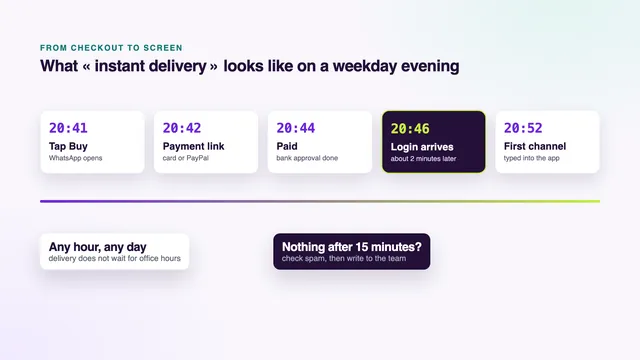
When you buy IPTV, instant delivery should mean a time you can check rather than a slogan. Here it means this: the login message reaches your WhatsApp or your inbox about 2 minutes after the payment is confirmed, at any hour of any day. This guide breaks that down into each stage between the Buy button and the first channel, shows what the message contains, lists the reasons it can be late and explains the refund if it never comes.
What « instant » means here, in minutes
Sellers use « instant » loosely. For some it means seconds, for others the same day, for others whenever someone is awake to send it. A promise only helps if you can measure it, so we give a number and say exactly where it starts.
The number is 2 minutes, and it starts at confirmation: the moment the payment company tells us the money has gone through. It does not start when you tap Buy, because a short chat and a payment link come first. It does not include the time spent typing the details into a player either, which depends on your screen and your remote.
Read the stages below before you buy IPTV: instant delivery is only as quick as the slowest of them, and the slow ones usually come before the payment, not after it.
Buy IPTV: instant delivery, step by step
Here is the whole journey, stage by stage. Only one stage carries our time promise; the others depend on you, your bank or your device.
| Stage | What happens | How long |
|---|---|---|
| 1. Buy button | You tap Buy on a plan and WhatsApp opens with the plan and price already written | As long as it takes to press send |
| 2. Payment link | The team replies in the chat with a secure link for that amount | A reply in the chat, at any hour |
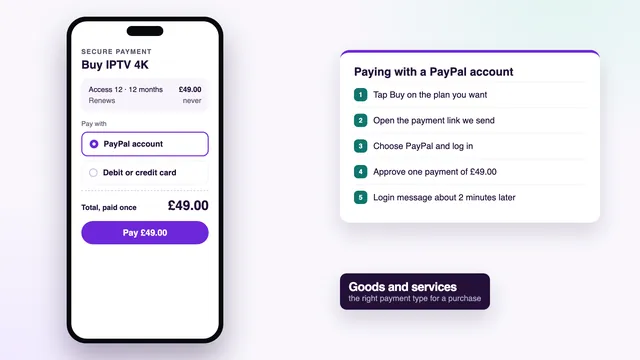
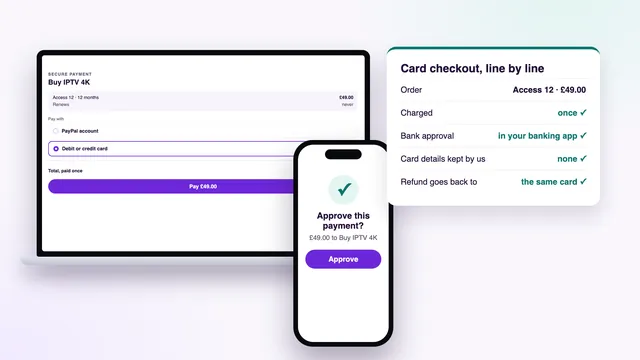
| 3. Payment | You pay by debit or credit card or PayPal, and approve it if your bank asks | Up to your bank’s approval or your PayPal sign-in |
| 4. Confirmation | The payment company confirms the money has gone through | The clock starts here |
| 5. Login message | Username, password, server URL, playlist link, guide link and end date, by WhatsApp or email | About 2 minutes after confirmation |
| 6. Player app | You type the details into a player, or the team walks you through it | A few minutes if the app is already installed |
| 7. First channel | The channel list and the programme guide load | As soon as the details are accepted |
Stages 1 to 3 hold most of the waiting, and nearly all of it is on your side of the screen: sending the message, opening the link, approving with your bank. Bank approval on a card payment and signing in to PayPal at checkout each have a guide of their own.
Ordering by email
Email follows the same stages. Write to [email protected] with the plan you want; the payment link comes back by email, and the login follows by email about 2 minutes after the payment is confirmed.
Getting ready before you tap Buy
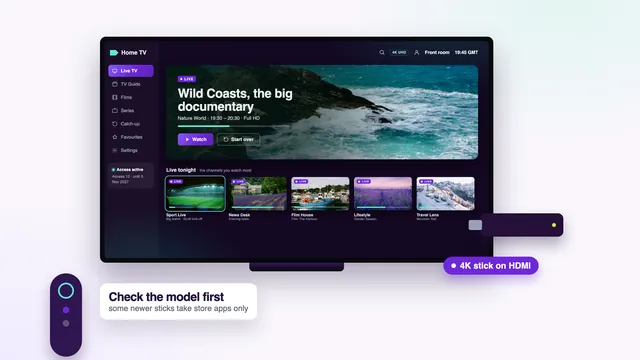
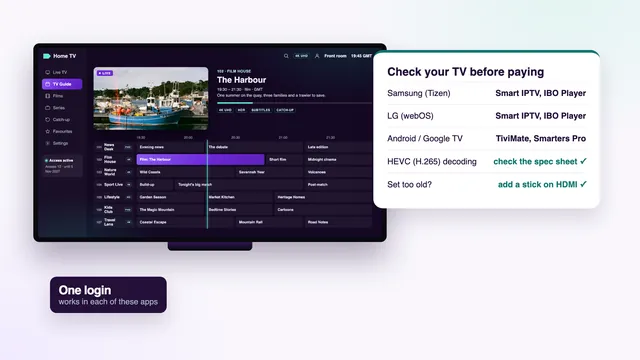
Installing the player before you pay shortens stage 6 to almost nothing: the message lands, you enter three fields and the guide fills in. Which player suits your Smart TV and getting a Fire TV stick ready are covered separately, as is whether a box is worth buying at all.
What arrives in the login message
Your order message, about 2 minutes after checkout
- Account name
- bip-•••••
- Passcode
- ••••••••
- Host URL
- http://your-server:port
- Playlist (M3U)
- …/get.php?…type=m3u_plus
- EPG link
- …/xmltv.php?…
- Valid until
- the end date in your message
Blanked out here: the real values are in the message we send you.
The values above are blanked out; yours come in full. Each line has a job:
- Account name and passcode. Your username and password, yours alone, typed exactly as written, capital letters included.
- Host URL. The server address the player connects to. Together with the username and password, it makes up the Xtream Codes login that most players ask for.
- Playlist (M3U). The same access written as one long web address, for players such as VLC or Kodi that read a playlist.
- EPG link. The programme-guide (XMLTV) address that fills in seven days of listings in UK time.
- Valid until. The end date, the day the access stops. Nothing renews by itself, so the date is written down for you rather than left to guess.
The login works in any compatible player, including IPTV Smarters Pro, TiviMate, IBO Player, Smart IPTV, XP IPTV, VLC and Kodi. We do not make or sell any of them. The difference between the two formats is explained in what an M3U playlist is and how it compares with an Xtream login, and what the account holds once you have paid goes through the end date and the screens.
From the message to the first channel
Delivery ends when the message lands. What comes next depends on the screen you watch on.
On a phone or tablet
Install a player from the App Store or Google Play, choose the Xtream Codes sign-in and copy the three fields straight from the message. Copying avoids typing slips. Look-alike apps exist, so check the developer’s name before you install: Smarters Pro comes from Tech Smarters Private Limited.
On a TV, stick or box
With a remote, entering the details takes a little longer. Fill in the server URL first, then the username and password, and check each capital letter before you confirm. A single wrong character is enough to make a first sign-in fail.
When the channel list appears
UK channels come first, sorted by category, then the other countries. On the first load the programme guide can take a moment longer than the channel list. If the listings look an hour out, the player’s « EPG time offset » setting puts them right.
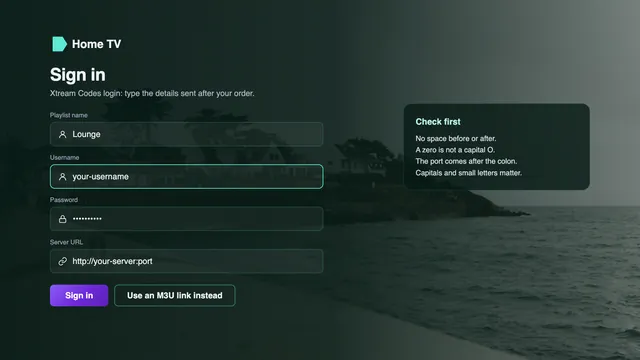
Stuck at this point? The team walks you through it on WhatsApp, and how to buy IPTV and set it up, device by device covers each screen in order.
Why a login message can be late
Most delays come from one of five places, and you can check each of them yourself in a couple of minutes.
| Cause | How to spot it | What to do |
|---|---|---|
| The payment is still pending | Your banking app or PayPal shows it as pending, not completed | Wait for it to complete; if it stays pending, send the team the time and the amount |
| The bank approval was not finished | No confirmation page, and no payment in your banking app | Open the payment link again and approve when the prompt appears |
| The email went to spam or junk | The payment is confirmed but the inbox is empty | Look in spam, junk and any promotions or updates tab, then search for our name |
| A wrong email address or number | The address in your first message has a typing slip | Send the team the correct address or number |
| Your phone is offline or WhatsApp is muted | No new messages in other chats either | Reconnect to Wi-Fi or mobile data, then open the chat with the team |
The first two are not delivery delays at all. When you buy IPTV, instant delivery can only begin once the payment is complete, and a payment your bank has not finished approving is not yet a payment. A glance at your banking app or your PayPal activity tells you which side the hold-up is on.
The last three are about where the message goes. An address with one letter wrong, a phone with no signal or a notification you have muted all look the same from your side: nothing arrives. Each takes a minute to rule out.
What to do if nothing has arrived
- Confirm the payment went through: the confirmation page, the PayPal receipt email or the payment line in your banking app.
- Check spam, junk and any other inbox tabs, then search your mail for « Buy IPTV 4K ».
- Open the WhatsApp chat with the team, archived chats included, in case the message is there and only the notification was missed.
- Message the team with the plan, the time you paid and the amount, or the PayPal transaction ID. That is all they need to find the order.
- The team checks the order and sends the login again, to a corrected address if one was wrong.
You can reach the team through this WhatsApp help chat or from the contact page, in English, 24/7.
Delivery at night, at weekends and on bank holidays
The 2-minute delivery works the same at 3 a.m. on a Sunday as at noon on a Tuesday. Orders are handled 24/7, so nothing waits overnight for an office to open and no login is held back until Monday morning.
Help keeps the same hours. A question before buying, a login that a player will not accept, an error on the TV: the team answers on WhatsApp and email at any hour, in English.
Deciding late in the evening is normal: a match or a film is starting soon and the order is placed then and there. That is exactly when the minutes count. If you are ordering against the clock, install the player first and pay second, so the only step left when the message lands is typing it in.
Every plan is delivered the same way, which is why you can buy IPTV at any hour and still watch the same evening. The four IPTV packages differ only in length and screens, from Access 3 at £29 to Access 24 at £89, with Access 12 Duo for two screens at once. Pick one from the plan cards on the home page.
If the login never arrives: the refund rule
A login that never arrives is the first of the two cases our refund rule covers. Ask within 7 days of paying and the full amount goes back to the card or PayPal account you used. The other case is a login that arrives but shows nothing on any screen, even after the team has helped you.
Before refunding, the team looks for the causes listed above, because a resent message gets you watching sooner than a refund does. If the login still cannot reach you, the refund follows, to the same card or PayPal account and nowhere else.
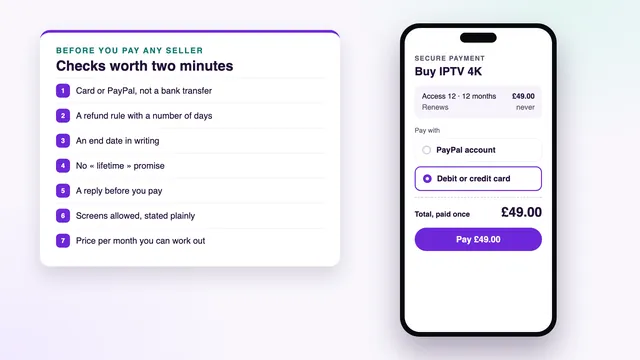
The rule does not cover a change of mind once a working login has arrived. The full terms are on the refund policy page, and the checks worth running before paying any seller explain why a refund rule with a set number of days matters when you buy online.
Frequently asked questions
How quick is instant delivery, exactly?
About 2 minutes from the confirmed payment to the login message, by WhatsApp or email. The chat and payment link before it, and the time spent entering the details into a player after it, come on top.
Does delivery work at night and at weekends?
Yes. Orders and support run 24/7, so a payment confirmed at 3 a.m. on a Sunday brings the login in about 2 minutes, just as on a weekday afternoon.
Can the login come by email rather than WhatsApp?
Yes. Write to [email protected] to order, and both the payment link and the login message come back by email. Check the spam folder if the message is not in your inbox.
I have paid and nothing has come. Should I pay again?
No. Check that the payment is confirmed and look in spam, then message the team with the time and the amount. A second payment would be a second order and would not speed up the first.
What if I gave the wrong email address or number?
Tell the team in the same chat, or through the contact page, with the correct one. They find the order from the time and the amount and send the login to the right place.
Is delivery the same on every plan?
Yes. Access 3, Access 12, Access 12 Duo and Access 24 all arrive the same way, about 2 minutes after payment. Access 12 Duo simply allows two screens to play at the same time.
What happens if the login never arrives at all?
You are refunded in full to the card or PayPal account you paid with, as long as you ask within 7 days of paying. The team first tries to find the cause and send the message again.