Buying guide
Where to buy IPTV: five places, what each sells and the recourse you keep
Where to buy IPTV matters less for the channels than for what happens when something goes wrong, because each kind of place hands over something different: a login with an end date, a box with nothing on it, or a promise in a chat. This guide takes the five places UK buyers end up, explains what each sells, how you pay there and what recourse you keep, and lists what to look at in each before paying.
Where to buy IPTV: five places compared
Type the question into a search engine and the results mix two different products. Roughly half of what comes up is hardware: boxes and sticks listed on online marketplaces and auction sites, plus the odd video. The other half is the access itself, sold by sellers on their own websites, on social pages and in chat groups. A fifth kind of page sells « credits » in bulk, and it is not meant for a home at all.
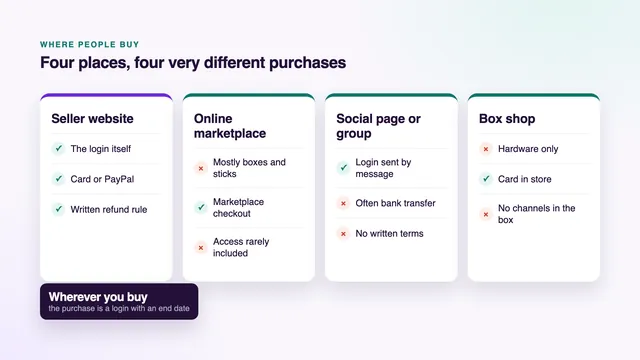
The table lines the five up. Read the last two columns first: what you can do if the order fails, and the one thing to look for before any money moves.
| Place | What it usually sells | How you pay | Recourse if it fails | Check first |
|---|---|---|---|---|
| Seller website | Plans of a fixed length: a login for a set number of months, for one or two screens | Card or PayPal on a payment company’s page; a few sellers push transfers instead | The seller’s written refund rule, then a chargeback from your card issuer or PayPal’s own process | A refund rule that names its days, plus an end date in writing |
| Online marketplace or auction site | Boxes and sticks; now and then a box with months of access bundled in | The marketplace’s own checkout | The marketplace’s rules for the item as listed; the access part may sit outside them | Who supplies the access, for how long, and whether the box is certified |
| Social-media page or chat group | Logins advertised in posts, often « lifetime » or far under the usual price | Often bank transfer, gift-card codes, crypto or money sent as if to a friend | Little or none: those payments are hard or impossible to pull back | A real website, a contact address and a card or PayPal option |
| Local shop selling boxes | The hardware, sometimes set up, sometimes with a login bought from someone else | Cash or card at the counter | The shop’s returns policy for the box; the access often comes with no paperwork | A receipt listing the box and the access as separate lines, with an end date |
| Bulk « credits » | Packs of credits that people who resell turn into logins for others | Up-front payment, often by transfer or crypto, with minimum orders | Nothing written for a household | Words such as « credits », « panel » or « minimum order »: if you see them, the page is not for you |
The sections below take each place in the same order: what it sells, how you pay there, what recourse you keep and what to look at before paying.
What you are buying, wherever you buy it
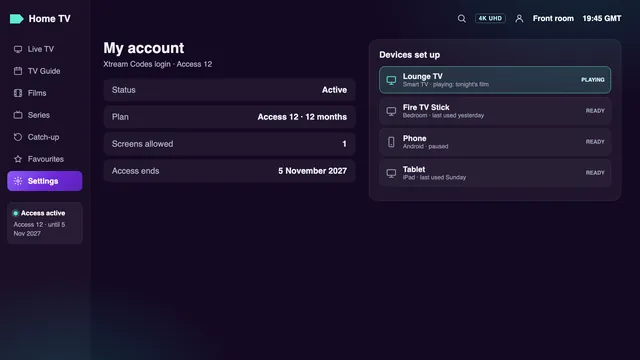
Whatever the shop front looks like, the product that puts channels on a screen is the same: a login with an end date. It is a username, password and server URL, which players call an « Xtream Codes » login, usually sent with an M3U playlist link and a programme-guide link. You type those details into a player app on a TV, a stick, a phone or a computer, and the channels load.
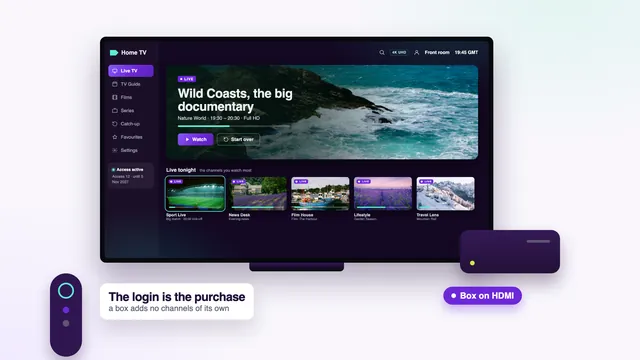
Everything around it is packaging. A box is a small computer that runs the player; it brings no channels of its own. A player app is a download from an app store and contains nothing to watch until a login goes in. So when you weigh up one place against another, weigh up the login: how many months it runs, how many screens can play at once, what happens on the last day and who answers when the picture stops.
If the words are new, our guide to what an IPTV account holds once it is paid for explains each detail, and the page on how a playlist link differs from an Xtream login covers the M3U side.
Seller websites: the access sold directly
What they sell
A seller’s own website sells the access in plans: a number of months, a number of screens and a price in pounds. A careful site puts the channel categories, the picture quality, the apps the login works in and every plan length on pages you can read at leisure, before talking to anyone.
How you pay
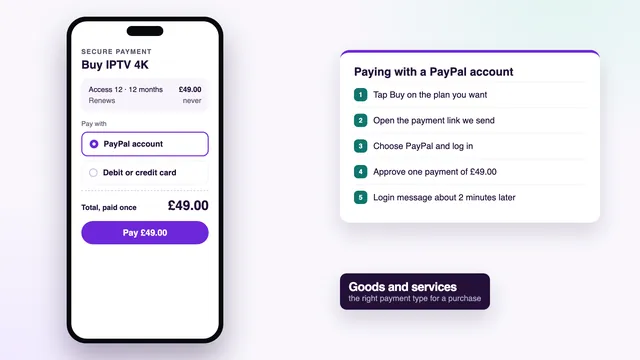
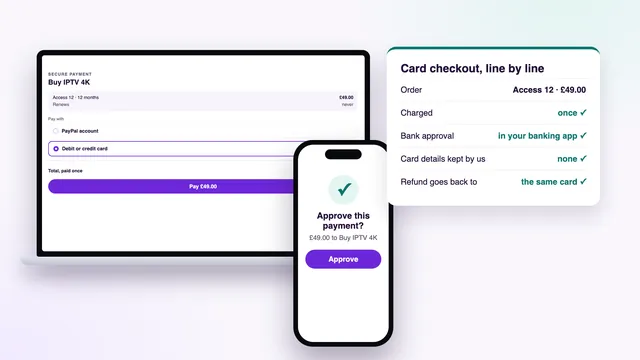
Two set-ups are common. Some sites run a checkout page that passes you to a payment company. Others, ours among them, take the order by WhatsApp or email and answer with a secure payment link, so your card details go into the payment company’s page and never to the seller. In both cases a debit or credit card, or PayPal, should be on the list.
What recourse you have
The seller’s own refund rule comes first, so read how many days it gives and which cases it covers. If the seller then goes quiet, a card payment can be disputed through your card issuer, which is called a chargeback, and a PayPal payment goes through PayPal’s own process, whose current terms are worth reading. A bank transfer you sent yourself is far harder to pull back.
What to check
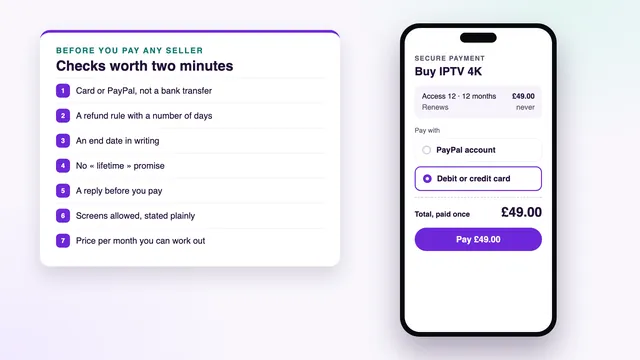
- a contact address that answers, and the hours it answers in;
- a refund page with a number of days in it, and a page on cancellation;
- each plan’s price as one total in pounds, next to its length in months;
- a promise that the end date will be written in the order message;
- a card or PayPal at the payment step, not only transfer or crypto.
Each of those points, with what a good and a poor answer look like, is set out in our ten checks before paying a seller online.
Online marketplaces and auction sites: mostly boxes
What they sell
Search a marketplace for IPTV and most listings are hardware: Android boxes, streaming sticks, spare remotes and HDMI leads. Some bundle « 12 months included » with a box. The box is what the listing is really selling; the months in the bundle usually come from a third party the listing never names.
How you pay
Through the marketplace’s own checkout, with whatever methods it accepts. The person selling the box never sees your card, which is comfortable for the hardware and says nothing about the login.
What recourse you have
The marketplace’s buyer rules apply to the item as it was described, under that marketplace’s current terms. A box that never turns up, or arrives faulty, is the case those rules are written for. A login that stops after a few weeks is harder to argue, because the listing often gives it no length, no end date and no named source.
What to check
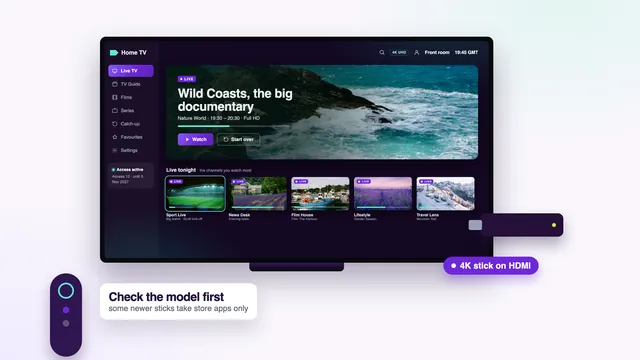
- whether the box carries Android TV or Google TV certification, which brings Google Play and security updates; uncertified boxes often run an old Android that never gets either;
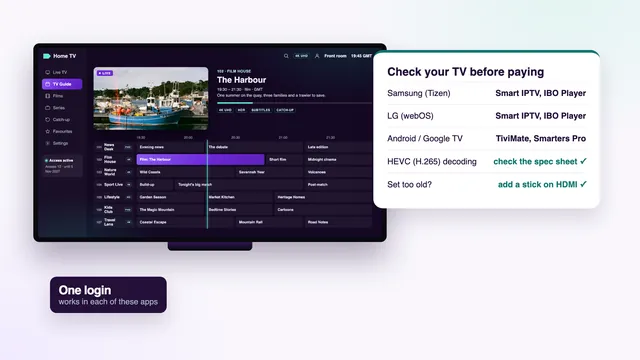
- 4K output at 60 Hz, HEVC (H.265) decoding in hardware, at least 2 GB of RAM, an Ethernet port and 5 GHz Wi-Fi;
- for a bundle: who supplies the login, for how many months, for how many screens, and where help comes from;
- the returns window for the hardware, which may have nothing to do with any rule for the access.
If you already own a smart TV, a Fire TV stick or a set-top box that can run a player, you may not need new hardware at all. Our guide on whether a box is worth buying goes through that decision, and the smart TV guide shows which sets run a player on their own.
Social-media pages and chat groups
What they sell
Pages on social networks and groups on messaging apps advertise logins in posts and pinned messages. The offers lean to the extreme: « lifetime » access, a year for the price of a takeaway, a deal that ends at midnight. There is rarely a page you can return to later that says what was promised.
How you pay
This is where the payment changes character. Many of these sellers want a bank transfer, gift-card codes, crypto, or money sent through a payment app as though to a friend. Each suits the seller for the same reason: it is quick and it stays sent.
What recourse you have
Very little. A transfer you authorised is difficult to recall, a gift-card code that has been redeemed is spent, and crypto sent to a wallet does not come back. If the page closes or the group is wiped, there may be nobody left to write to.
What to check
- whether a proper website stands behind the page, with a refund rule and a contact address;
- whether they will take a card, or PayPal as an ordinary purchase;
- whether the « lifetime » offer has an end date in writing (it will not);
- whether anyone replies to a plain question before asking for money.
Local shops that sell boxes
What they sell
Some phone and electronics shops, and the occasional market stall, sell streaming boxes and sticks over the counter. A few set the box up before you leave, and some add a login they buy from someone else.
How you pay
Cash or card at the till, which at least gives you a person and an address to go back to.
What recourse you have
For the box, the shop’s returns policy and your receipt. For the access, it depends on what was written down. A login on a slip of paper, with no length and no supplier, leaves the shop as your only contact for something it may not control.
What to check
- a receipt with the box and the access on separate lines, each with its own price;
- the end date of the access and the number of screens it allows;
- who you contact when the picture drops at nine on a Saturday night and the shop is shut;
- the price of the same box elsewhere, so the hardware is not costing you twice.
Nothing stops you buying the hardware in a shop and the access online. Each part then has its own receipt and its own rules, which is easier to sort out if one of them fails.
Bulk « credits »: sold to people who resell, not to homes
One kind of result looks like a seller but is not selling to you. These pages offer « credits » in bulk through a control panel: each credit creates a login for a month or more, and the packs are bought by people who resell access to others. Prices are quoted per credit, there are minimum orders and payment is taken up front.
For a household it is the wrong shelf. You would pay for a stock of logins you have no use for, with no support aimed at a viewer and no refund rule written for a home. The signs are easy to read:
- prices per credit rather than per month;
- a minimum order of several credits;
- talk of a « panel », « sub-accounts » or « margins »;
- no plan described in terms of screens, months and an end date.
If you see those, go back to the results and look for a plan sold to households.
How to choose where to buy IPTV
Three questions settle most choices, whichever place you are looking at.
Price: is it in the normal range?
On offers seen online from UK sellers at the time of writing, 12 months for one screen cost about £39.99 to £65, most often around £55. A single month on its own ran from £6.99 to £22, and a year for two screens at once sat around £96 to £100. Prices vary from one seller to the next, but a figure far below those ranges, in any of the five places, is a reason to ask more questions rather than to hurry.
Paper: will you have it in writing?
Wherever you buy, you should end up with a receipt, a refund rule that names its days and an end date. A place that cannot give you all three is asking you to rely on goodwill alone.
People: will someone answer?
Before paying, write with one question and see who replies, how quickly and how clearly. The answer to that small message tells you more about the evenings to come than any banner on the page.
Where Buy IPTV 4K fits
Buy IPTV 4K is a seller website in the sense of this guide. You pick a plan on the site and tap its Buy button; WhatsApp opens with the plan and its price already written, or you can email the team. The reply brings a secure payment link for a debit or credit card or PayPal. About 2 minutes after the payment is confirmed, the login message arrives with the end date in it, and nothing is charged again afterwards.
Access 12 costs £49 for 12 months, £4.08 a month, inside the range above; Access 24 lowers that to £3.71 a month over 24 months, and Access 12 Duo covers two screens at once for £79. You can see the four plans and their prices, compare them in the IPTV packages side by side, or read the order step by step in how to buy IPTV, from plan to first channel.
Should the login fail to arrive, or no screen show a picture even with the team’s help, you are paid back within 7 days. For the full picture of how we sell, start from the page on how to buy IPTV from us in one payment, and if anything is unclear, ask the team before you order.
Frequently asked questions
Can I buy IPTV in a shop on the high street?
Some phone and electronics shops sell boxes and sticks, and a few add a login from another supplier. Ask for a receipt that lists the access as its own line, with an end date and a screen count. Without that, the shop is your only contact for a login it may not control.
Is a box with « 12 months included » on a marketplace a good deal?
Only if the listing says who supplies the access, how many screens it allows and where help comes from. Price the same box on its own, then compare the difference with a 12-month plan bought directly. The marketplace’s rules cover the box as described; read them to see whether they say anything about the access.
Why do some sellers only take gift cards, crypto or bank transfer?
Those methods are quick for the seller and very hard for you to reverse. A seller who stands behind the order accepts a debit or credit card, or PayPal as a normal purchase. If both are refused, that refusal is your answer.
Can a household buy « credits » instead of a plan?
Credits are sold in bulk to people who resell, usually with minimum orders and no support for viewers. A home needs one plan: a login, an end date and a number of screens. Buying credits means paying for logins you will never use.
Where to buy IPTV if I already own a Fire TV stick or a smart TV?
You only need the access, so a seller’s website is enough and the device stays as it is. Check that a player app runs on it, then choose a plan. The Fire TV stick guide covers the stick side before you pay.
Is a social page ever a sensible place to buy?
A page can point you to a proper seller. If it links to a website with a refund rule, a contact address and a card or PayPal option, judge that website instead of the page. If the whole sale happens in messages and ends with a transfer, the page is all you have, and it can disappear overnight.